MEETING INTELLIGENCE
Record any meeting.
Get AI-powered notes automatically.
VoxBee captures system audio and your microphone during any video call — Zoom, Meet, Teams, whatever. After the meeting, it transcribes everything locally with on-device speech models and generates structured summaries with key decisions, action items, and follow-ups.
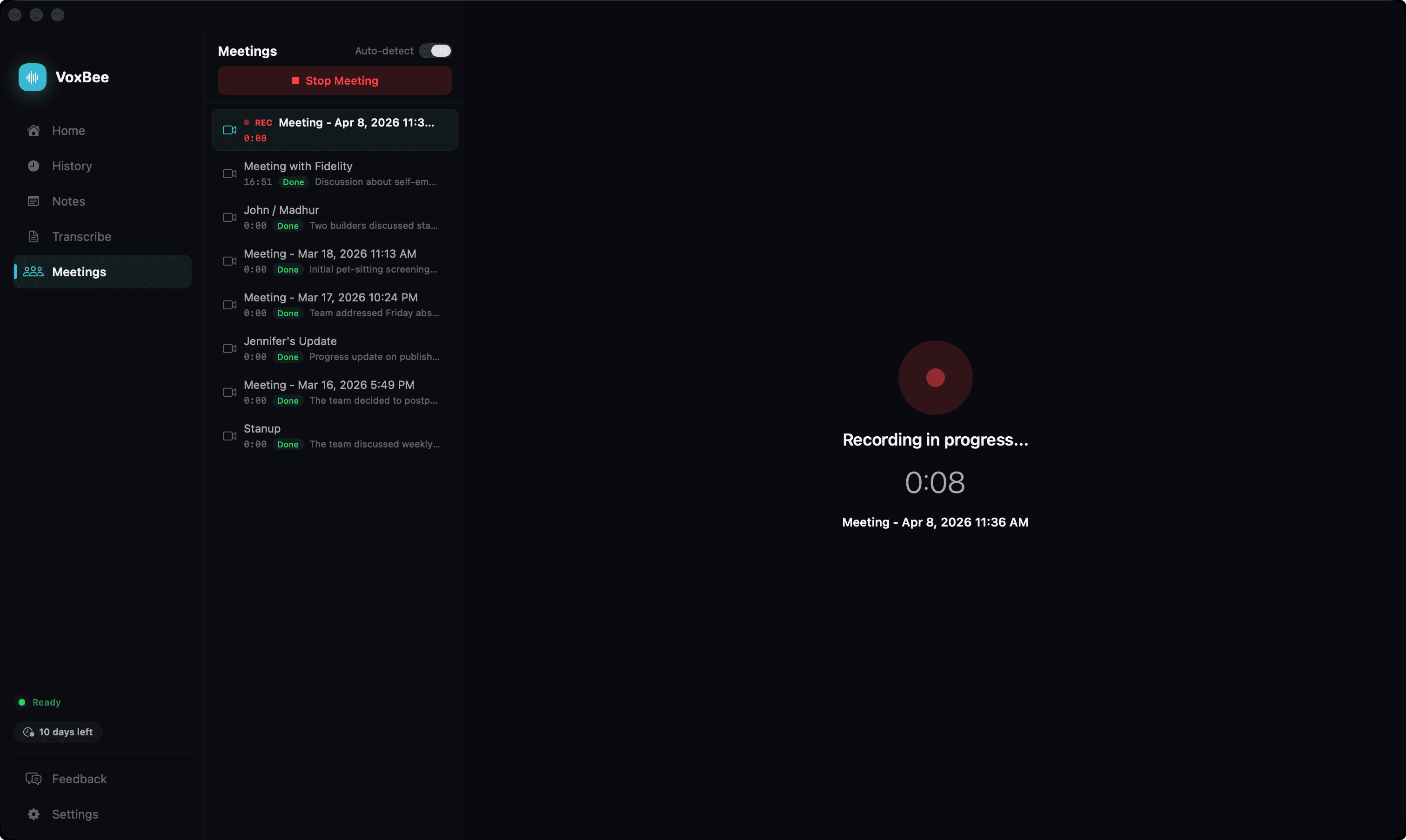
Meeting notes on autopilot
System Audio + Mic Capture
VoxBee captures both the system audio from your video call (what others say) and your microphone (what you say) simultaneously.
Works with Any Video Call App
Zoom, Google Meet, Microsoft Teams, Discord, or any other app that plays audio through your system. No bots joining your call.
AI-Structured Summaries
After the meeting, VoxBee sends the transcript to OpenAI, Anthropic, or your local Ollama server for a structured summary.
Automatic Meeting Detection
VoxBee detects when you join Zoom, Teams, FaceTime, Webex, or Google Meet and sends a notification to start recording. No manual setup needed.
Action Items & Decisions
AI extracts key decisions, action items, and follow-ups from the meeting so you never miss what matters.
Markdown Export
Meeting notes are saved as markdown files in ~/Documents/VoxBee/Meetings/ — ready for your note-taking app or wiki.
Google Drive Sync
Connect Google Drive once and VoxBee mirrors your meetings folder to your own Drive — automatically, after every recording and edit. Access scope is limited to files VoxBee creates (drive.file), so there's no broader access to your Drive. Drag the VoxBee folder anywhere in your Drive and sync keeps working.
Listen Back with TTS
Read meeting summaries and full transcripts back aloud with a floating playback dock. Six engines: System (on-device, free), OpenAI, ElevenLabs, Deepgram Aura, Groq PlayAI, and Cartesia. Catch up on a 60-minute call during a 10-minute walk.
No Bots in Your Call
Unlike Otter or Fireflies, VoxBee doesn't add a bot to your meeting. It captures audio at the system level — invisible to other participants.
Speaker Diarization (Beta)
On-device speaker detection powered by NVIDIA Sortformer. Each transcript turn is labelled by speaker, so summaries can attribute decisions and action items to the right person.
11 Cloud STT Providers (BYO Key)
Prefer a hosted speech model for the transcript? Plug in your own key for OpenAI (including the diarized gpt-4o-transcribe), Deepgram, AssemblyAI, ElevenLabs, Groq, xAI Grok, Mistral Voxtral, Cohere, Speechmatics, Alibaba Qwen3-ASR, or Soniox. A purple cloud badge stays visible while it's active.
Actionable Error Banners
Missing API keys, out-of-credits, invalid models, and offline Ollama all surface as human messages with one-click recovery — open settings, choose a model, or open the provider API key page — instead of raw error text.
Crash-Safe Pipeline
If VoxBee or your Mac quits mid-meeting, the recording, transcription, diarization, and summary stages all checkpoint to disk. On relaunch, processing resumes at the first incomplete step instead of starting over.
On-device by default.
Audio is transcribed locally with Whisper or NVIDIA Parakeet by default. Only the text transcript is sent to your chosen AI provider for summarization — never the audio itself. Use a local Ollama server for fully offline summaries, or opt into a cloud speech model with your own API key — a persistent cloud badge shows whenever audio is leaving the device.