TRANSCRIPTION
Drop a file or paste a URL.
Get a timestamped transcript.
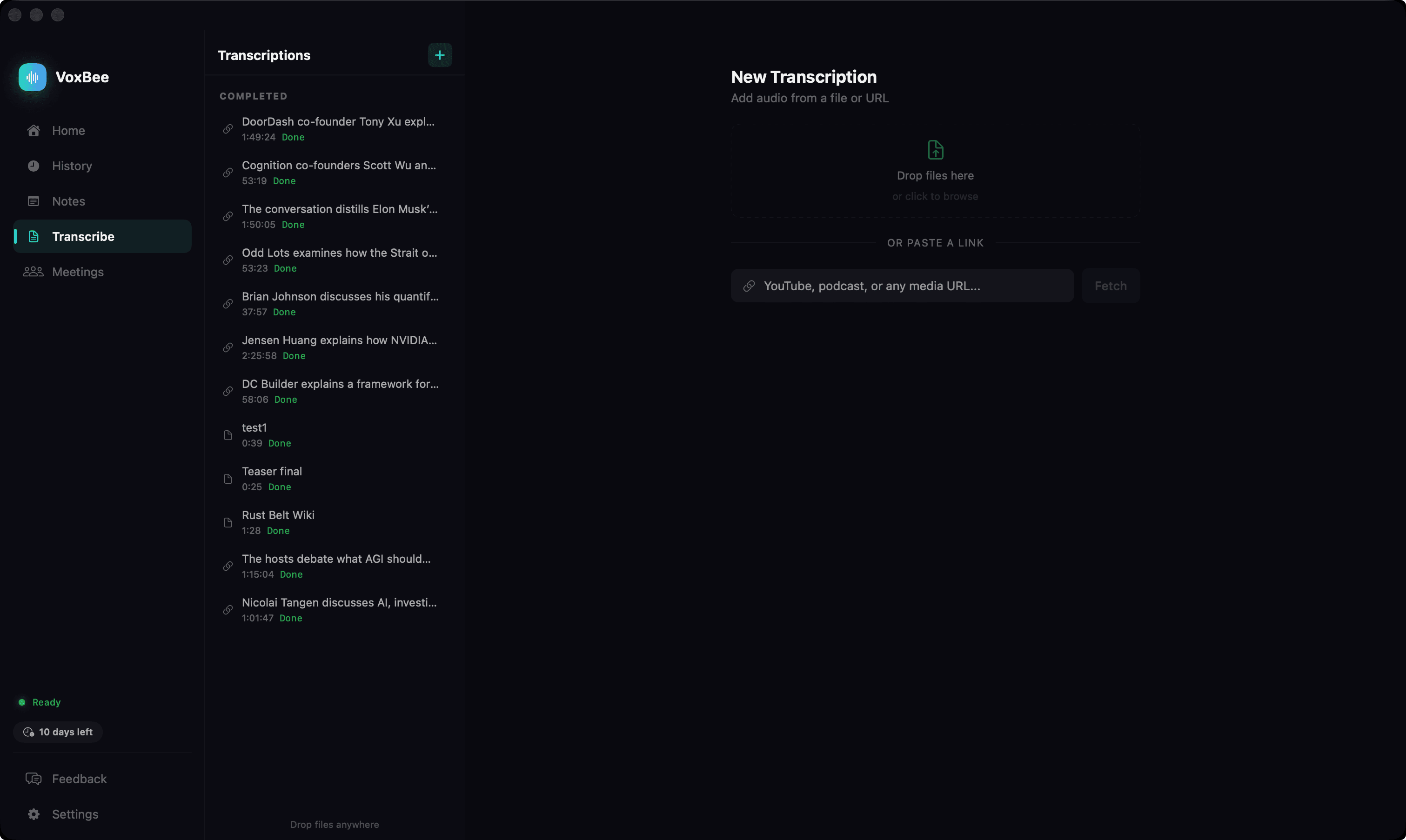
Drag and drop any audio file — MP3, WAV, M4A, AIFF — or paste a podcast, YouTube, or video URL. VoxBee downloads the audio, transcribes it locally with Whisper or NVIDIA Parakeet models and accurate timestamps, and generates an AI-powered summary with key topics, highlights, and takeaways.
See it in action
Transcribe anything, anywhere
Drag-and-Drop or File Picker
Drop any audio file — MP3, WAV, M4A, AIFF — directly into VoxBee, or use the file picker to select files.
Paste a URL from 1,800+ Sites
Paste a YouTube, podcast, Vimeo, SoundCloud, X/Twitter, or Twitch URL. VoxBee downloads the audio and transcribes it locally.
AI-Powered Summaries
After transcription, send the text to OpenAI, Anthropic, or your local Ollama server for structured summaries with key topics, highlights, and takeaways.
Timestamped Segments
Every transcript includes accurate timestamps so you can jump to specific moments in the original audio.
Smart Chunking
Long files are split into 30-second segments at silence gaps, transcribed in parallel, and stitched back together with word-level deduplication.
Export Formats
Export your transcripts as plain text (.txt), subtitles (.srt), or markdown (.md). Files are saved to ~/Documents/VoxBee/Transcriptions/.
Google Drive Sync
Mirror your VoxBee/Transcriptions folder to your own Google Drive. Connect once from settings and every new transcript, edit, and re-transcription gets synced automatically. Access is limited to files VoxBee creates (drive.file).
Listen Back with TTS
Read transcripts and AI summaries back aloud with a floating dock. Six TTS engines (System on-device, OpenAI, ElevenLabs, Deepgram Aura, Groq PlayAI, Cartesia) — bring your own key for cloud voices. Audio is cached locally so replays never re-bill.
11 Cloud Providers (BYO Key)
Need extra accuracy or a hosted endpoint? Plug in your own API key for OpenAI (including diarized gpt-4o-transcribe), Deepgram, AssemblyAI, ElevenLabs, Groq, xAI Grok, Mistral Voxtral, Cohere, Speechmatics, Alibaba Qwen3-ASR, or Soniox. Stays disabled unless you turn it on.
Speaker Diarization (Beta)
On-device speaker detection powered by NVIDIA Sortformer. Get a transcript with each turn labelled by speaker — great for interviews and panel recordings. Available as a Beta action on completed transcripts.
On-device by default.
Transcription runs locally with Whisper or NVIDIA Parakeet — your files stay on your machine. If you opt into a cloud provider with your own API key, a persistent purple cloud badge shows whenever audio leaves your device, so it's always clear when something is being uploaded.